PBIP in Power BI: how to version reports with Git and stop depending on one file
PBIP in Power BI saves the report and model as text files, ready for Git. See how it differs from PBIX, how to get started and what to watch out for.
In short
- PBIP is the Power BI Desktop format that saves the report and semantic model as a folder of text files, instead of a single PBIX file.
- As text, the report can go into a Git repository, with a history of who changed what, review before publishing and quick rollback.
- Start with one important report: a company repository, a short folder path, the .gitignore kept, mandatory review and separate test and production workspaces.
- Before making it the standard, weigh the limitations: sensitivity labels are not supported and Power BI Desktop for Report Server does not open PBIP projects.
PBIP, or Power BI Project, is the format that saves a Power BI Desktop report as a folder of text files instead of a single .pbix file. With it, the report and the data model can go into a Git repository, which keeps every version, shows exactly what changed and lets you roll back. For the company, it is the way to stop depending on the file sitting on someone's laptop.
Anyone who manages a BI area knows the scene: a shared folder with "sales_final_v3_this_time_for_real.pbix", a measure that changed without anyone knowing who changed it, a report published over another one on a Friday afternoon. A .pbix is a closed, binary file, so two versions cannot be compared line by line. PBIP solves this and opens the way to working with BI the same way software teams work with code.
In this guide you will see what PBIP is, the practical difference from PBIX, how to start versioning reports with Git, the format's caveats and limitations, and what to require from whoever builds your reports.
What is PBIP in Power BI?
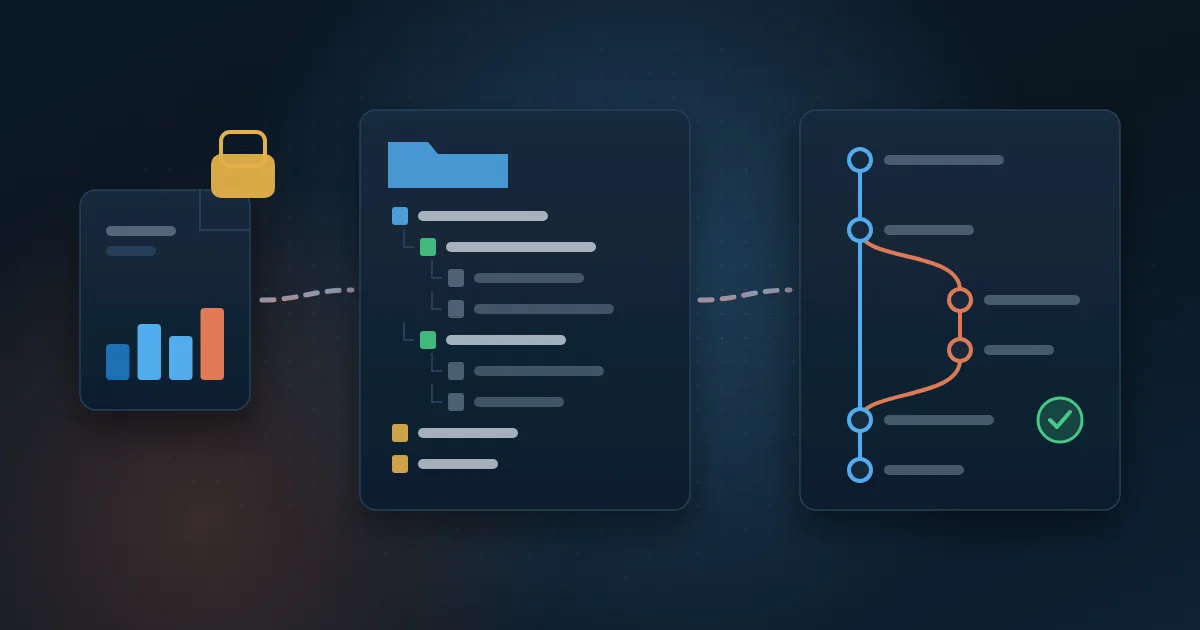
When you use File and Save as in Power BI Desktop and pick the Power BI Project (.pbip) type, the work stops being a single file and becomes a folder with subfolders. The Microsoft documentation on Power BI projects describes this basic structure:
- Report folder (name.Report): the pages, visuals and filters, described in text files.
- Semantic model folder (name.SemanticModel): the tables, relationships, DAX measures and the queries that bring in the data. The model can be saved in TMDL, a text language designed to describe tabular models in a readable way.
- The .pbip file: a shortcut that opens the report and the model for editing in Power BI Desktop.
- The .gitignore file: tells Git what should not be versioned, such as the local cache with the imported data.
In practice, a DAX measure, which is a Power BI calculation formula, becomes a few lines of text in a file. If someone changes the net revenue rule, the change shows up highlighted, with author and date. That is what Git, the most widely used version control system in the world, does very well.
PBIX or PBIP: what is the practical difference?
Both formats open in the same Power BI Desktop and produce the same published report. The difference lies in how the work is stored and reviewed:
- Format: PBIX is a single binary file; PBIP is a folder of text files.
- Comparing versions: with PBIX, only by opening both files and looking for the difference by eye; with PBIP, Git shows line by line what changed.
- Data: PBIX usually carries the imported data inside the file; with PBIP, the data cache stays out of version control by default.
- Teamwork: with PBIX, two people on the same file almost always means one overwriting the other; with PBIP, each works on a copy and the changes are merged later.
- Editing outside Desktop: PBIP accepts code editors and external tools for some tasks, such as changing many measures at once.
The switch is not permanent. Power BI Desktop's own Save as converts a PBIX into a PBIP and a PBIP back into a PBIX, so you can try the format on one report before changing the team's standard.
Why version Power BI reports with Git?
For a manager, versioning is not a technical whim. It is a way to reduce risk in an asset the board uses to make decisions. The most concrete gains are these:
- Full history: every change is recorded with who made it, when and why.
- Fast rollback: if a number starts coming out wrong after a change, you can go back to the previous version in minutes.
- Review before publishing: a second person checks a measure change before it reaches the board.
- Parallel work: two people evolve the same model in separate branches without one erasing the other's work.
- Ownership: the report's code lives in a company repository, not on the computer of an employee or a vendor.
This last point matters when development is outsourced. In the guide on how to hire a Power BI freelancer, the advice is to require that files and code stay with the company; with PBIP and Git, that stops being a promise and becomes something you can check at every delivery.
How do you start using PBIP with Git in your company?
You do not need to migrate everything at once. A good start is to pick one important report, with a clear owner, and follow these steps:
- Create a repository in the company account, in Azure DevOps or GitHub, with access through corporate users.
- Open the report in Power BI Desktop and use Save as, Power BI Project type, in a folder with a short path, because Windows limits the length of file paths.
- Avoid saving the project directly to a synced OneDrive or SharePoint folder; syncing can interfere with saving.
- Keep the .gitignore created by Desktop, which leaves out the data cache and local settings.
- Configure Git to handle line endings, as the documentation recommends, so version comparison does not show false changes.
- Make the first record (commit) with the current state of the report and write down what it represents.
- Agree on the team rule: every change starts in its own branch and only enters the main version after being reviewed by someone else.
- Separate the environments: a development workspace for testing and a production one, which is what the board sees.
What about Git integration in the workspace?
Beyond versioning on the developer's computer, Microsoft Fabric lets you connect a whole workspace to a repository. According to the Fabric Git integration overview, the supported providers are Azure DevOps, GitHub and GitHub Enterprise, all in the cloud, and reports and semantic models appear in the list of supported items still as a preview. Access to this feature depends on the company's licensing, so check the current requirement before planning the workflow.
What are the caveats and limitations of PBIP?
The format solves versioning, but it has points that need to be part of the decision:
- Sensitivity labels are not supported in Power BI projects; if your company uses these labels, check with the security team first.
- The version of Power BI Desktop optimized for Report Server does not open PBIP projects.
- Editing files outside Desktop requires care: some files do not support external editing and a mistake can stop the project from opening until it is fixed.
- The data does not go into the repository, which is good for security, but whoever downloads the project needs access to the sources to refresh the data.
- Passwords and source credentials must never be written into the project files.
None of these points prevents its use in most companies, but it is worth listing them before turning PBIP into the standard for every report.
What should you require from whoever builds your reports?
Whether it is an internal team, a freelancer or a Power BI consultancy, these questions quickly show whether the work is organized to last:
- Is the reports' code in a company repository, in PBIP format?
- Does each change have a record with a clear description of what was changed and why?
- Is there a review by another person before an important measure reaches production?
- Are there separate workspaces for development and production?
- Are the metric rules documented in plain language, alongside the code?
- If the developer leaves tomorrow, can someone else open the project and carry on?
If most answers are no, the problem is not a lack of tools but a lack of process. This is also a good criterion when comparing vendors, as the guide on how to choose a Power BI consultancy shows.
How Wolkee helps
At Wolkee, the same senior team takes care of Power BI dashboards, data engineering with Microsoft Fabric and Azure, integrations and automations. That means 9 years in the market, more than 500 deliveries and projects in 8 countries, in areas such as solar energy, contact centers, sales and finance.
If your reports live in loose files today and you want to organize versions, environments and owners, start with a free 30-minute assessment. We reply within 1 business day and, when it makes sense, we present a working prototype before the contract.
Frequently asked questions
Does PBIP replace the PBIX file?
Not necessarily. Both formats coexist and Power BI Desktop converts one into the other through Save as, in both directions. PBIX remains practical for simple, single-person reports. PBIP makes more sense when the report is important, changes often or is maintained by more than one person, because it enables history and review of changes.
Do I need to know how to code to use PBIP?
To save and open a PBIP project, no: everything is still done in Power BI Desktop. What changes is the versioning routine, which calls for basic Git notions, such as recording a change, creating a branch and reviewing a change. Visual editors such as Visual Studio Code make this much easier for people coming from Excel and Power BI.
Is company data stored in the Git repository?
By default, no. The .gitignore file that Power BI Desktop creates leaves out the cache with the imported data and the local settings, so the repository stores the definition of the report and the model, not the table rows. Even so, server names and table structures appear in the files, so the repository should be private and owned by the company.
Does PBIP work with Power BI Report Server?
Not for now. Microsoft's documentation states that the version of Power BI Desktop optimized for Report Server does not open Power BI projects. Companies that publish reports on their own server, without using the cloud service, need to stay with the PBIX format or plan a move to Power BI in the cloud before adopting PBIP.

Partner and Sales Director at Wolkee
He started on the technical side, moved into consultative pre-sales and today follows Wolkee's BI, data and automation projects from diagnosis to delivery.
LinkedIn